
Welcome to the Deeplink Creators Blog!
If your business website is already live on Google and you understand the basics of SEO, it's time to move to the next level. Website SEO isn't just a game of keywords. As a website grows, technical issues also arise that need to be handled correctly.
Working in Delhi, Noida, and Greater Noida, we at Deeplink Creators see daily how many businesses lose organic traffic simply due to poor technical maintenance.
Following Google's official Search guidelines, we've created a detailed checklist that will help you control how Google crawls, indexes, and ranks your website.
1. Allow Google to Crawl and Index Properly
For good rankings, Google must first find and read your pages.
Fix Duplicate Content
Use canonical tags correctly so Google knows which page is the main/original version.
Manage Robots.txt & Resources
Ensure that important elements like CSS and images aren't blocked by Googlebot.
Restrict Robots.txt to pages that aren't as important (like admin logins, small icons) to avoid unnecessary server load.
👉 Remember:
robots.txt = to block crawling
noindex tag = to block indexing
Submit an XML Sitemap
A sitemap clearly tells Google which pages are important. This also helps in quickly discovering content like images and videos.
Is it a multilingual website?
If you are targeting multiple countries or languages, be sure to include hreflang tags so that users find the page in the correct language.
2. Be careful when migrating a page or website
Wrong URL migration is the easiest way to waste SEO traffic.
Single URL Move
Use a 301 redirect for a permanent change and a 302 redirect for a temporary one.
Is the page deleted?
If the page is permanently deleted, display a proper custom 404 page.
Avoid “Soft 404s” (page not found, but with a 200 status).
Full Website Migration
Implement all 301 redirects, update the sitemap, and
notify Google of the address change through Google Search Console.
3. Follow Crawling & Indexing Best Practices
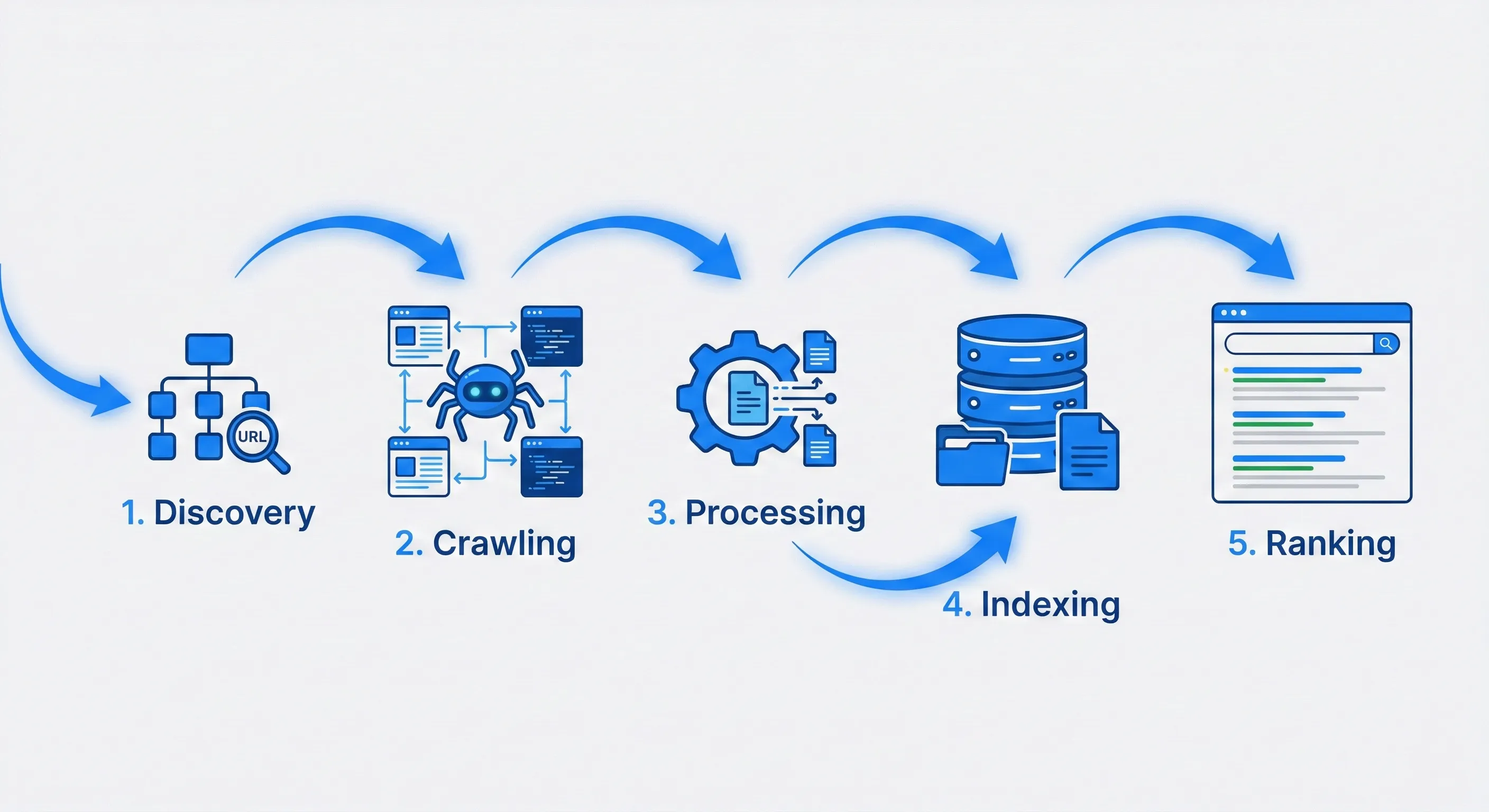
Link Management
Links should be crawlable. Use rel="nofollow" for paid links, user-generated content, or untrusted sources to protect your website's reputation.
Optimize Crawl Budget
For large websites (millions or millions of pages), include only important pages in the sitemap and hide low-priority pages from robots.txt.
Handle Complex Layouts
Using infinite scroll? Also provide a paginated version for Google.
Next/Previous links in multi-page articles should be clearly crawlable.
4. Help Google Understand Your Content
Google is smart, but you have to provide context.
Use Text Instead of Images
Don't hide important information behind images—write it in text.
Structured Data (Schema Markup)
Tell Google what type of content you are (reviews, products, events, etc.) by adding schema markup.
This results in rich snippets that stand out in search results.
Don't know how to code? Google's Data Highlighter is also very helpful.

5. Prioritize User Experience (UX) & Mobile
A website that frustrates users never ranks well.
Speed is very important.
Fast websites = better rankings.
Regularly check performance with Core Web Vitals and PageSpeed Insights.
HTTPS is compulsory.
A site without an SSL certificate shows as "Not Secure," causing users to immediately lose trust.
Mobile-First Indexing
60%+ of users are on mobile. Google also uses a mobile crawler.
Meaning: A mobile-friendly site = survival in search.
6. Regularly monitor Google Search Console.
This is the most powerful tool for website maintenance. Check crawl errors, submit new sitemaps, and monitor Core Web Vitals.
Finding SEO management difficult?
Technical SEO can sometimes be overwhelming. If you want your website to comply with all Google's rules without the headaches, the expert team at Deeplink Creators is ready to help.
Based in Greater Noida, we provide top-class digital marketing and SEO services in Noida and Delhi NCR.
Contact deeplinkcreators.com today and get a free SEO audit!